


BixelAI - Image & Video Maker
3.99.00 Reviews
App Specs
- Version
- 3.2.0
- Updated On
- License
- Free
- Downloads
- 100,000+
- Developer
- ByTech Solutions LLC
- Categories
- Art & Design
- Platform
- Android
Screenshots
 Analysis by AppCompare
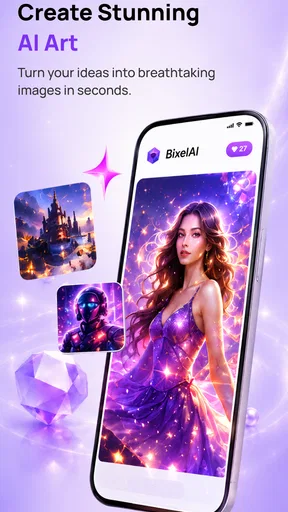
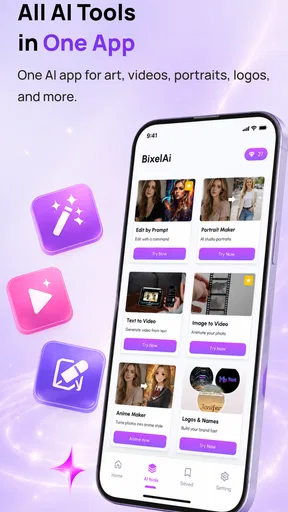
I approached BixelAI - Image & Video Maker as a practical creative tool rather than a replacement for a full design suite. It sits in the Art & Design category and focuses on turning written ideas into AI-generated images and videos. That makes it interesting for quick concepts, social posts, mood boards, and playful experiments, especially when I want to move from a thought to a visual without drawing everything myself.
My overall impression is mixed in a useful way. The app is easy to understand, free to install, and broad enough to appeal to casual creators. At the same time, AI creation is not the same as precise editing: the result depends heavily on the wording of a prompt, and a fast first attempt may still need several revisions. I would recommend trying it if you enjoy exploring visual ideas, but I would not choose it as my only tool for exact brand work, detailed retouching, or professional video production.
How BixelAI feels when turning an idea into an image
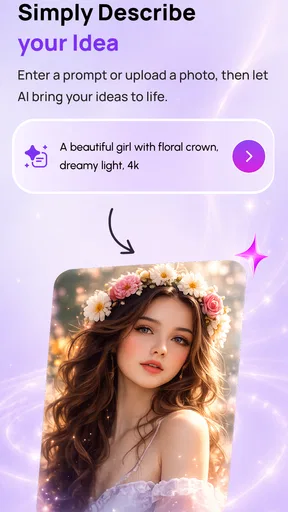
The most appealing part of the experience is the short distance between intention and output. Instead of opening a blank canvas and building a composition manually, I can begin with a description and see what the generator makes of it. That is useful when I have a vague concept, such as a poster atmosphere, a character direction, or a background for a presentation, but not enough time or skill to create the visual from scratch.
I found that the quality of the request matters more than many newcomers expect. A short prompt can be convenient, but it often leaves important choices open. If I want a particular mood, camera angle, color relationship, or setting, I need to say so clearly. I also prefer to describe the subject before adding style details. This gives me a more organized starting point than piling up unrelated adjectives and hoping the generator understands the priority.
One practical workflow is to treat the first result as a draft, not a final answer. I would begin with the main subject and purpose, inspect the composition, and then adjust one issue at a time. Changing the lighting, pose, or background separately makes it easier to understand what improved the result. Rewriting the entire prompt after every attempt can make the process feel random, particularly when I am trying to identify why an image looks wrong.
The video side changes the expectations. Moving imagery naturally demands more than a still picture, so I would use it for short visual ideas, atmosphere, and social content rather than expecting the control of a conventional editor. A generated clip can be valuable as a starting asset, but anyone who needs exact timing, carefully synchronized cuts, or a repeatable production style will probably still need another application afterward.
Where the app saves time
For everyday creative work, the strongest advantage is reducing the setup involved in making a first concept. I can use it when I need a visual reference for a conversation, a quick illustration for a personal project, or several directions before choosing one to develop manually. This is particularly helpful for people who are comfortable explaining an idea in words but less confident with drawing, compositing, or animation.
Worth Reading Before You Choose

EA SPORTS FC Mobile 26 Is a Bigger Football Game, but It Takes Time

Flipboard Shows What News Apps Must Do Beyond the Feed

Switching to Android Auto Means Rethinking Your Driving Routine

Google Calendar Makes a Crowded Week Easier to Manage

Ludo King Makes the Most of the Minutes Between Plans

Baby Panda World Brings Quick Play to Modern Phones, but Its Game Library Feels Busy
It also works well as a brainstorming partner. I might generate a few different interpretations of the same theme, compare their layouts, and use the most useful one to guide work in a more controlled editor. In that role, the app does not have to produce a perfect finished asset to be worthwhile. A rough image can reveal a better color scheme, pose, or visual direction that I would not have considered alone.
A less obvious use is preparing references before commissioning or collaborating with someone else. A generated image can help me explain the atmosphere I want, even when it is not suitable for final publication. That can reduce misunderstandings at the beginning of a project. I would label it clearly as a concept, though, because a reference image and a finished, approved design serve different purposes.
What happens during heavier creative sessions
Short experiments are easier to judge than long sessions. When I move from one casual request to a series of image and video attempts, the workload naturally becomes more demanding. Generation requires patience, and the experience can feel less immediate than ordinary drawing or photo-editing tools. I would not plan a tightly timed presentation around producing a specific result at the last moment.
That does not make the app unsuitable for regular use, but it changes how I would organize my work. I would generate ideas early, keep the strongest candidates, and leave time for selecting and refining rather than treating every request as an instant deliverable. For a collection of social visuals, it is smarter to create several options in one session and then edit or arrange them later, instead of opening the app repeatedly whenever a post is already due.
Video creation deserves extra caution in a heavy-use workflow. Even when the interface feels simple, moving output is more demanding than a single image, and the value of a clip depends on whether it can be used without extensive correction. I would reserve the video function for moments where motion adds something meaningful. If a still image communicates the idea just as well, the image route is usually the more efficient choice.
One helpful habit is to keep a small prompt notebook outside the app. I can record the wording that produced a useful subject, visual tone, or composition, then adapt it for another idea. This is more reliable than trying to remember why a particular result worked. It also helps me avoid wasting time making tiny changes without a clear goal.
Stability, failed attempts, and recovering your work
My view of reliability is tied less to one successful generation and more to how calmly I can recover when an attempt is disappointing. AI output is inherently variable, so an image that misses the subject or mood is not necessarily an application failure. The important distinction is whether I can recognize the problem, revise the request, and continue without losing the direction of the project.
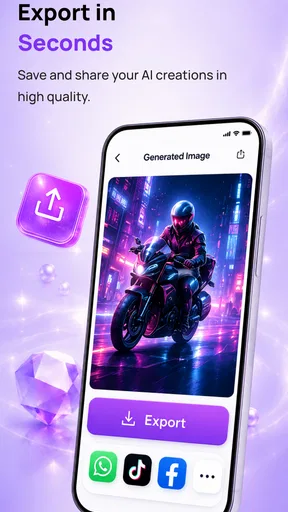
I would therefore save or export useful results as I go rather than assuming every promising version will remain available exactly as I left it. That is a sensible precaution for any creative app, especially when I am testing several alternatives. It also gives me a fallback if I later decide that a newer generation is less useful than an earlier one.
Another recovery technique is to simplify rather than intensify. When a prompt produces a confusing composition, adding more instructions can make the request harder to interpret. I prefer removing secondary details, securing the main subject, and then rebuilding the scene gradually. This approach makes the app feel more predictable and gives me a clearer explanation for each change.
I would not judge reliability solely by the average rating shown in the store. The app has an average rating of 3.9 from 643 ratings, which suggests a generally workable experience but also a meaningful range of opinions. That matches my expectations for an AI tool: usefulness can vary according to the creator’s patience, the type of output they want, and how much control they expect from a mobile application.
Resource demands and the device question
BixelAI is available for devices running Android 7.1 or later, so compatibility reaches back further than many current creative apps. That is helpful if I use an older phone or tablet. Compatibility, however, is not the same as identical comfort. A device that can install the app may still feel less convenient during repeated generation than a newer model with a more responsive system.
I would pay attention to battery level and available storage before starting a long creative session. Generated images and especially video files can become substantial when I keep multiple versions. A tidy workflow helps: remove failed experiments, move finished assets somewhere safe, and avoid keeping every near-duplicate. This is not glamorous advice, but it prevents a promising project from becoming difficult to manage.
For an older or modest device, I would begin with a few image experiments and observe how comfortable the overall process feels before committing to a large batch. If the phone becomes warm, slows down, or makes switching between tasks unpleasant, I would shorten sessions and handle final editing elsewhere. The app is best treated as one part of a workflow rather than a reason to push a limited device continuously.
There is also a difference between local device comfort and the time needed for generation itself. A modern phone may make the interface feel smooth, but that does not guarantee that every creative request will produce an immediate result. I would keep the app updated, since the current version is 3.2.0, while still planning around the possibility that complex work may take more patience than ordinary image editing.
Free access, purchases, and who should use it
The app is free to install, which makes experimentation relatively easy. That matters for beginners who want to discover whether AI-assisted art fits their habits before committing to a paid creative package. The content rating is Everyone, so its general positioning is accessible to a wide audience, although parents should still guide younger users in understanding that generated images are imaginative outputs rather than factual references.
There are in-app purchases ranging from $2.49 to $27.99 per item. I would keep that in mind before beginning a large project. A free starting point is useful, but a workflow that depends on repeated paid actions can become less attractive than a conventional editor or a different generation service. The sensible approach is to test the basic experience with a small personal project, decide how often I would really use it, and only then consider spending money.
The app is a good match for casual creators, students exploring visual ideas, social users who want original backgrounds, and people who need quick concept art without learning a complex desktop program. It can also help a designer during the early ideation stage, when speed of exploration matters more than exact control.
I would skip it as my main solution if I need pixel-level placement, dependable character consistency across a long series, detailed typography, or a full timeline-based editing environment. A traditional drawing app is better for deliberate hand control. A photo editor is better for precise corrections. A dedicated video editor is better when timing, transitions, audio, and repeatable delivery matter more than generating the initial visual.
A realistic way I would use it in daily life
Imagine I am preparing a small announcement for a community event. I do not yet have a suitable background, and searching through stock images gives me nothing that matches the mood. I could use BixelAI to explore several visual directions: a quiet evening setting, a bright illustrated scene, or an abstract arrangement built around the event’s colors. I would then choose the cleanest background and add the actual wording in a separate design tool.
This example shows both the strength and the boundary of the app. It can help me discover an atmosphere quickly, but I would not rely on generated lettering for important information. Text inside AI-created artwork can be inconsistent, so I prefer to keep names, dates, addresses, and instructions in a normal editor where I can proofread them. That separation produces a more dependable final result.
For a short social clip, I might generate motion as a visual accent and then assemble the finished post elsewhere. I would check the clip carefully before publishing, looking for distracting changes in the subject or background. If the movement feels artificial or does not support the message, I would use the still image instead. The goal is not to use every available function; it is to choose the output that communicates most clearly.
Another useful workflow is creating a private mood board for a room makeover, costume idea, or personal illustration. I can test combinations that would be difficult to picture mentally, then use the results as references. In this setting, variation is an advantage. I am not asking for a legally or technically exact blueprint; I am using generated visuals to make a decision with more confidence.
How it compares with familiar creative alternatives
Compared with a blank drawing canvas, BixelAI is faster at producing an initial visual but offers less direct authorship over every mark. Compared with a template-based design app, it can feel more open-ended because I am not restricted to preset layouts, yet the results may require more correction before they are ready for public use.
Against a standard photo editor, its advantage is idea generation rather than refinement. A photo editor starts with an existing image and gives me dependable tools for cropping, masking, color, and detail work. This app starts with a description and helps me explore something that may not exist yet. In practice, the two approaches complement each other better than they compete.
Video comparison is even clearer. A conventional editor gives me control over sequence and timing, while BixelAI is more useful when I need a generated visual concept or a moving starting point. If my project depends on exact continuity, repeated subjects, or careful sound and cut decisions, I would choose the conventional editor first and use AI generation only where it genuinely saves effort.
The trade-off is therefore straightforward: choose this app for breadth, experimentation, and a low barrier to visual creation; choose a specialized tool when control, consistency, or production precision is the priority. I would happily keep both types of app available because they solve different stages of the same creative process.
My final performance verdict
After weighing speed expectations, heavier sessions, recovery habits, and device limits, I see BixelAI as a useful idea generator with a practical mobile focus. Its free entry point and broad creative purpose make it approachable, while the Android 7.1 minimum gives owners of older devices a chance to try it. The developer, ByTech Solutions LLC, has positioned it for people who want images and video concepts without starting from a complicated professional workflow.
Its biggest strength is not that every result will be perfect. It is that the app can turn an empty moment into something visible enough to discuss, revise, or reuse. The best results come when I provide a clear purpose, make controlled adjustments, save successful versions, and finish important typography or precision work in another tool.
Its limitations matter just as much. Repeated generations can demand patience, video work may be less efficient than still-image exploration, and purchases between $2.49 and $27.99 per item deserve attention before I build a routine around the app. Older devices may also be better suited to shorter sessions and careful file management.
With over 100K installs, it has clearly reached a substantial audience, and I can understand why: the concept is approachable and immediately entertaining. I would recommend it to anyone curious about AI art generation who wants a low-risk way to experiment. I would not recommend replacing a drawing, photo, or video editor with it. Used as a fast creative sketchbook, BixelAI - Image & Video Maker is more convincing, more manageable, and more useful than it is as an all-in-one production studio.
Pros
- Quickly creates social-ready images and videos from simple prompts.
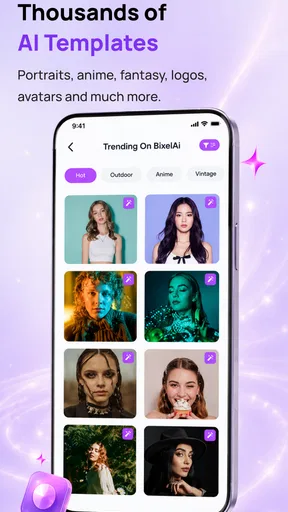
- Offers useful templates for posts
- ads
- stories
- and promotional content.
- Can help non-designers produce polished visuals without advanced skills.
- Supports rapid idea generation for experimenting with different styles.
- Convenient for creating content directly from a mobile device.
Cons
- AI results may include odd details
- text errors
- or inconsistent elements.
- Some advanced tools or exports may require a paid subscription.
- Generation quality can vary depending on the prompt and chosen style.
- Video creation may take longer and use considerable battery or data.
- Usage rights and commercial licensing should be checked before publishing.
FAQs for BixelAI - Image & Video Maker
What is BixelAI - Image & Video Maker, and what can I create with it?
BixelAI - Image & Video Maker is an AI-powered creative app designed to help users generate visual content from text prompts, images, or creative ideas. Depending on the available tools and plan, you can create AI images, stylized artwork, social media graphics, and short video content. It is useful for experimenting with concepts, producing posts, and making visuals without advanced editing experience.
Is BixelAI suitable for beginners without design or video-editing skills?
Yes. BixelAI is generally aimed at casual users as well as creators who want a faster alternative to traditional design software. Most workflows rely on entering a description, selecting a style, or applying an effect rather than manually editing every detail. However, the quality of the result depends heavily on how clearly you describe what you want, so some prompt experimentation may be necessary.
Is BixelAI free to download and use?
The app may be available to download at no initial cost, but some features, generation credits, export options, or premium styles can require in-app purchases or a subscription. Before creating a large number of images or videos, review the pricing page, trial conditions, renewal terms, and credit limits shown in the app store or during sign-up. Availability and pricing can vary by platform and region.
Can I use BixelAI-generated images and videos for commercial purposes?
Commercial usage depends on BixelAI’s current terms of service, the subscription level you use, and whether your content includes copyrighted characters, logos, recognizable people, or material uploaded by someone else. Do not assume that every generated result is automatically cleared for advertising or resale. If you plan to use the app for business, carefully check the licensing rules and retain proof of your subscription or permissions.
What should I know about privacy and uploaded content before using BixelAI?
If you upload photos, reference images, or personal material, check the app’s privacy policy to understand how that content is processed, stored, and potentially used to improve its services. Avoid submitting confidential documents, private images, or photographs of other people without permission. Also review the permissions requested by the app, especially access to photos, camera, microphone, or storage, and grant only those that are necessary.


